How to Generate an MD5, SHA-1 or SHA-256 Hash From Text
Change one character in a 50-page contract and run both versions through a hash generator: every one of the 64 characters in the SHA-256 result comes out different, not just the part near the edit. That is usually the first surprise for anyone who has not used a hash generator before, and it is also the entire point of the thing.
I ran a handful of real strings through the free Hash Generator on Toolysite to see exactly what it does, what it gets right, and where people reach for the wrong tool.
What a hash actually is
A hash is a fixed-length fingerprint of whatever text you give it. The same input always produces the same output, and a one-character difference produces a completely different result, with no visible pattern connecting the two. Toolysite's Hash Generator computes MD5, SHA-1 and the SHA-2 family (SHA-256, SHA-384, SHA-512) at once, with an option to switch the result to uppercase hex.
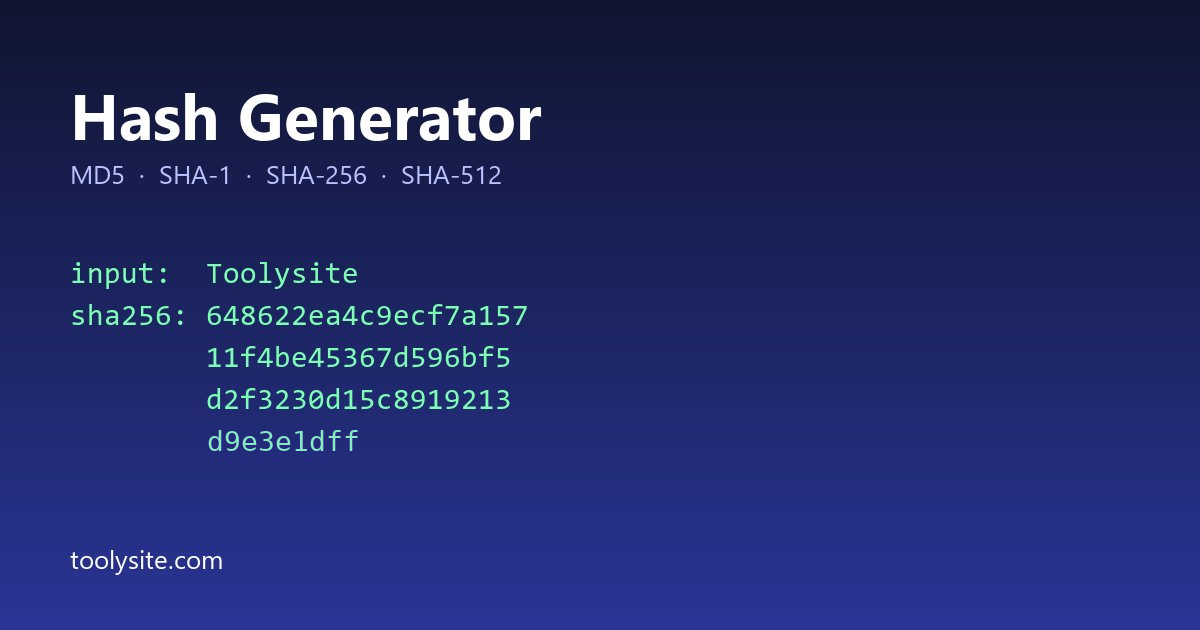
I typed the word "Toolysite" into the box and got this (checked separately against Python's own hashlib, which gives identical values for every algorithm):
| Algorithm | Output for "Toolysite" | Length |
|---|---|---|
| MD5 | 420f6ae7f4d41c1f8c00a9597b52a9de | 32 hex chars |
| SHA-1 | 767ac94cc9f3766791c7e14bca2249f94056dd87 | 40 hex chars |
| SHA-256 | 648622ea4c9ecf7a15711f4be45367d596bf5d2f3230d15c8919213d9e3e1dff | 64 hex chars |
Two things worth noticing. The length never changes no matter how long the input is: hashing a single word or a whole book gives the same number of characters for a given algorithm. And an empty input is not an error, it is just another valid hash: SHA-256 of nothing is always e3b0c44298fc1c149afbf4c8996fb92427ae41e4649b934ca495991b7852b855, which is one of the most quoted numbers in cryptography because every implementation of SHA-256, anywhere, must produce exactly that for an empty string.
How to generate a hash from text online
- Open the Hash Generator and paste or type the text.
- Read off the results for MD5, SHA-1, SHA-256 and the longer SHA-2 variants, shown together.
- Tick "Uppercase hex" if the system you are comparing against expects capital letters.
- Copy the one you actually need.
There is no file upload step in this tool, because it hashes the text you type or paste, not a file on disk. That distinction trips people up, so it gets its own section below.
Why a single space changes everything
I tested this directly: hashing "Hello World" and "Hello World " (one trailing space) gives two SHA-256 results that share no visible characters. That is called the avalanche effect, and it is deliberate. A hash that changed only slightly for a slightly different input would be close to useless for checking file integrity, because an attacker could nudge a file until the hash looked "close enough."
MD5 checksum online vs SHA-256: which one to use
MD5 and SHA-1 are both on this page because older systems still publish checksums in those formats, and you sometimes have to match what is already there. Neither is considered safe against someone deliberately trying to fake a match (a "collision"); both have known practical attacks. For anything where it matters that nobody could have forged the value on purpose, use SHA-256 or SHA-512. For just catching an accidental typo or a corrupted copy-paste, any of them will do the job.
The mistake: using a hash generator for passwords
This is worth stating plainly because it is the most common wrong use of a tool exactly like this one. A plain hash of a password is not safe storage. If two users pick the same password, their plain hashes are identical, and anyone with a copy of the hash table and a list of common passwords can check millions of guesses per second against MD5 or SHA-256, because both are built to be fast. Password storage needs a slow, salted algorithm designed for that job, such as bcrypt, scrypt or Argon2, not a general-purpose hash generator. This tool is built for checking text and file integrity, not for securing logins.
Text hash vs file hash: use the right tool
The Hash Generator works on text you type or paste. If you need to verify a downloaded file against a checksum a vendor published (the classic "does my ISO match the published SHA-256" question), that is a different job: use the File Hash CheckerInstead, which reads the file directly and compares it with the value you paste in. Running a file through the text-based Hash Generator by copying its contents into the box is not the same thing and will usually give a different result than hashing the raw bytes.
Questions people ask
Can a hash be reversed back to the original text?
No, not in general. Hashing only goes one way. The practical risk is different: if the original text is short or guessable (a common password, a short code), someone can hash every guess and look for a match, which is why short or predictable inputs are the real weakness, not the hash function itself.
Why do MD5 and SHA-256 give different-length results for the same text?
Each algorithm is a different design with its own fixed output size: MD5 always produces 128 bits (32 hex characters), SHA-1 always 160 bits (40 characters), SHA-256 always 256 bits (64 characters), regardless of how long the input was.
Is MD5 still good for anything?
Yes, for detecting accidental changes, like confirming a copy-pasted block of text was not altered. It is not good for anything where someone might deliberately try to produce a fake match.
How do I check a downloaded file's checksum, not just text?
Use the File Hash Checker. It reads the file itself; the Hash Generator on this page only hashes text you type.
Does uppercase vs lowercase hex change the actual hash?
No. 420f6a... and 420F6A... represent the same value; only the letter case of the display changes. Most systems accept either, but check the one you are comparing against.
One honest limit
I tested short strings and the empty-string case, which is the standard sanity check for any hash implementation, and both matched independently computed values exactly. I did not test very large pasted text (megabytes of pasted content) in the browser, so I cannot say how the page performs at that size; for anything that large, a file-based tool is the better fit anyway.