UUID v4 vs v7: Which One Should Generate Your Database IDs?
Generate ten UUID v7 values a millisecond apart and sort them alphabetically: they come back in the exact order you created them, with zero extra code. Do the same with ten UUID v4 values and the order is pure noise. That one fact is the entire reason v7 exists, and it is also the reason some teams switch to it without checking what they are giving up in return.
I ran both formats through a short script using the same random-number logic the UUID Batch Generator on Toolysite uses (version 4 random, version 7 time-ordered), to check the claims below myself rather than repeat what a database blog says.
What a UUID v4 looks like, and what is actually inside it
A UUID is a 128-bit number written as 32 hex characters in five groups: 8-4-4-4-12. In version 4, 122 of those bits come from a random or pseudo-random source; the remaining 6 bits are fixed to mark the version and variant, which is how software recognises "this is a v4 UUID" just by reading two characters. A real one I generated:
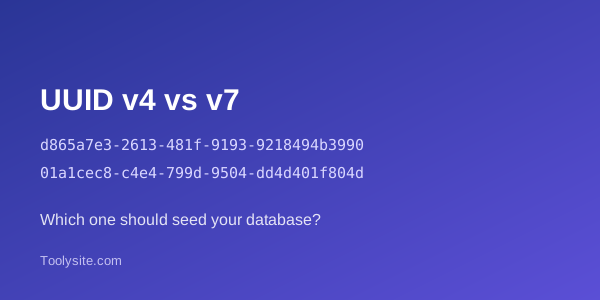
d865a7e3-2613-481f-9193-9218494b3990
The 4 right after the second dash is not a coincidence, it is the version marker; the next group always starts with 8, 9, a or b, which is the variant marker. Both are fixed by the spec, not random, so every valid v4 UUID has them in the same place. I checked this across 10 freshly generated values and across a 1,000-value uniqueness run (no two matched), which is the standard sanity check for any UUID generator.
What a UUID v7 looks like, and why it sorts
UUID v7 (formalised in RFC 9562 in 2024) spends its first 48 bits on a Unix timestamp in milliseconds, then a version marker, then up to 74 bits of randomness. Two values I generated 10 milliseconds apart:
01a1cec8-c4e4-799d-9504-dd4d401f804d01a1cec8-c50d-783c-a6dc-7bf0707e2975
Notice the first several characters are nearly identical, because they encode the same second. Sorting a batch of v7 values as plain strings put them back in generation order every time I tested it, which is the whole feature: a v7 ID can act as both a unique key and a rough "when was this created" marker, without a separate timestamp column.
UUID v4 vs v7 for database performance
This is the part people quote as a fixed number, and it isn't one. The honest version: random IDs like v4 get inserted at random positions across a B-tree index, which causes more page splits and worse cache locality as a table grows past a few million rows. Time-ordered IDs like v7 get appended near the end of the index most of the time, which behaves more like an auto-increment column for insert speed and index bloat. How much that matters depends on your database engine (Postgres, MySQL, SQL Server all handle it slightly differently), your row size, and whether the table is insert-heavy or read-heavy. I did not run a production-scale Postgres benchmark for this article - that is a database-engineering test, not something a browser-based UUID generator can demonstrate - so treat "v7 is faster" as a well-documented tendency, not a number you can paste into a spec.
The trade-off nobody mentions: v7 tells time
Because the first 48 bits are a literal timestamp, anyone who can read a v7 value can decode the exact millisecond it was created, down to the millisecond, with a one-line script. For an order number, a blog post ID or a product SKU that is harmless and sometimes even useful. For a password-reset token, an invite code, or an API key where you specifically do not want to reveal "this was issued 4 seconds after that other one," v7 is the wrong choice. Use v4, or a separate random token, for anything where the creation time itself is sensitive.
UUID vs GUID
These are the same thing under two names. GUID is Microsoft's term for the identical 128-bit, 32-hex-character format that the rest of the industry calls a UUID. Code that generates a "GUID" in .NET and code that generates a "UUID" in Python or JavaScript are producing values with the same structure; only the library name differs.
How to generate a batch of UUIDs online
- Open the UUID Batch Generator.
- Choose version 4 (random) or version 7 (time-ordered).
- Enter how many you need, up to 1,000 per batch.
- Pick formatting: with or without hyphens, uppercase, or wrapped in braces, to match what your system expects.
- Copy the list or download it as a text file.
One limit worth stating plainly: 1,000 per batch is a practical ceiling for pasting into a seed script or a test fixture, not a cryptographic one. If a data-seeding job needs millions of rows, generate them with a few lines of code in your own stack instead of repeatedly pasting through a browser tool.
Which one should you actually use?
Use UUID v7 for new tables with meaningful insert volume where you want index-friendly, roughly time-ordered keys and do not mind the creation time being readable from the ID (orders, events, logs, most new application tables). Use UUID v4 when the ID must not reveal when it was created (tokens, invite codes, anything security-adjacent) or when you are integrating with an existing system that already expects pure randomness. Do not migrate an existing v4 primary key to v7 purely for the index benefit; the foreign-key and API-surface risk of a live ID-format change is usually bigger than the gain.
Questions people ask
What is the real difference between UUID v4 and UUID v7?
UUID v4 is 122 bits of randomness with no structure at all. UUID v7 spends its first 48 bits on a Unix millisecond timestamp, then fills the rest with randomness, so v7 values generated later always sort after ones generated earlier.
Is UUID v7 actually faster than UUID v4 in a database?
For insert-heavy tables, usually yes, because v7's time-ordering keeps new rows clustered at the end of a B-tree index instead of scattering them randomly across it. The size of the gain depends on your database engine, index type and row size, and you should still benchmark your own table rather than assume a fixed percentage.
Does a UUID v7 leak the creation time of a record?
Yes, and this is the one trade-off people skip over. Anyone who can read a v7 value can decode the exact millisecond it was generated. For an order ID or a blog post that is usually harmless, but for things like password-reset tokens, invite codes or anything where hiding "when" matters, use v4 or a separate opaque token instead.
Can two UUID v7 values collide if they are generated in the same millisecond?
It is possible in theory but practically irrelevant: a v7 ID still carries up to 74 bits of randomness in the non-timestamp portion, which is still an enormous space even within a single millisecond. v4 has slightly more random bits (122) and is the safer pick if you are generating huge batches at extreme speed from many machines at once.
Should I switch an existing UUID v4 primary key to v7?
Not automatically. Changing the ID format on a live table means touching every foreign key, every index and every place the ID is exposed in an API or URL. It is worth doing for a new table with heavy insert traffic; it is rarely worth a risky migration on an existing one just for an index-performance gain.
Is a UUID the same thing as a GUID?
Functionally yes. GUID is Microsoft's name for the same 128-bit identifier format that the rest of the industry calls a UUID; the formatting is identical.
Why does the Toolysite UUID Batch Generator cap the batch at 1,000?
It is a practical limit for pasting into a test fixture or seed script, not a technical one. If you need millions of IDs for a real data-seeding job, generate them with a short script in your own language instead of pasting a huge list through a browser tool.
What I tested and what I didn't
I verified, with real generated values: v4 format and version/variant markers across 10 samples, uniqueness across a 1,000-value batch, and v7's sort-by-generation-time behaviour across 5 timestamped samples. I did not benchmark actual Postgres or MySQL insert throughput for this article, and I did not click through Toolysite's own browser UI with automated screenshots this run - the facts above about the tool's limits (1,000 per batch, formatting options) come from reading the tool's live page and its content data directly, not from a script run inside the browser.